JPG, PNG, WebP, AVIF or JPEG XL? A Practical Guide to Image Formats
Every format has a job. This guide explains when each one wins, with real numbers from PixSip's own encoder stack.
"Just save it as PNG" is the most expensive habit on the web. Formats are tools, and picking the wrong one costs bandwidth, storage, and page speed. Here is a practical field guide — and how PixSip helps you stop guessing.
The short version
| Need | Format |
|---|---|
| Photos, human-taken pictures | JPG or WebP |
| Screenshots, UI, diagrams, text-heavy graphics | PNG (lossless) |
| Website images, smallest size | WebP or AVIF |
| Archive quality, best modern compression | AVIF or JPEG XL |
| iPhone photos (HEIC) | Convert to JPG/WebP first |
What actually happens to your files
A JPG (MozJPEG, the encoder PixSip uses) throws away detail the eye can't easily see. Great for photos, terrible for text and flat UI — those get visible ringing artifacts around sharp edges.
A PNG is lossless: every pixel survives. Ideal for screenshots and graphics, but a photo saved as PNG is often 3–5× larger than the same photo as JPG, for zero visible gain. Lossless optimizers like OxiPNG can only trim so much.
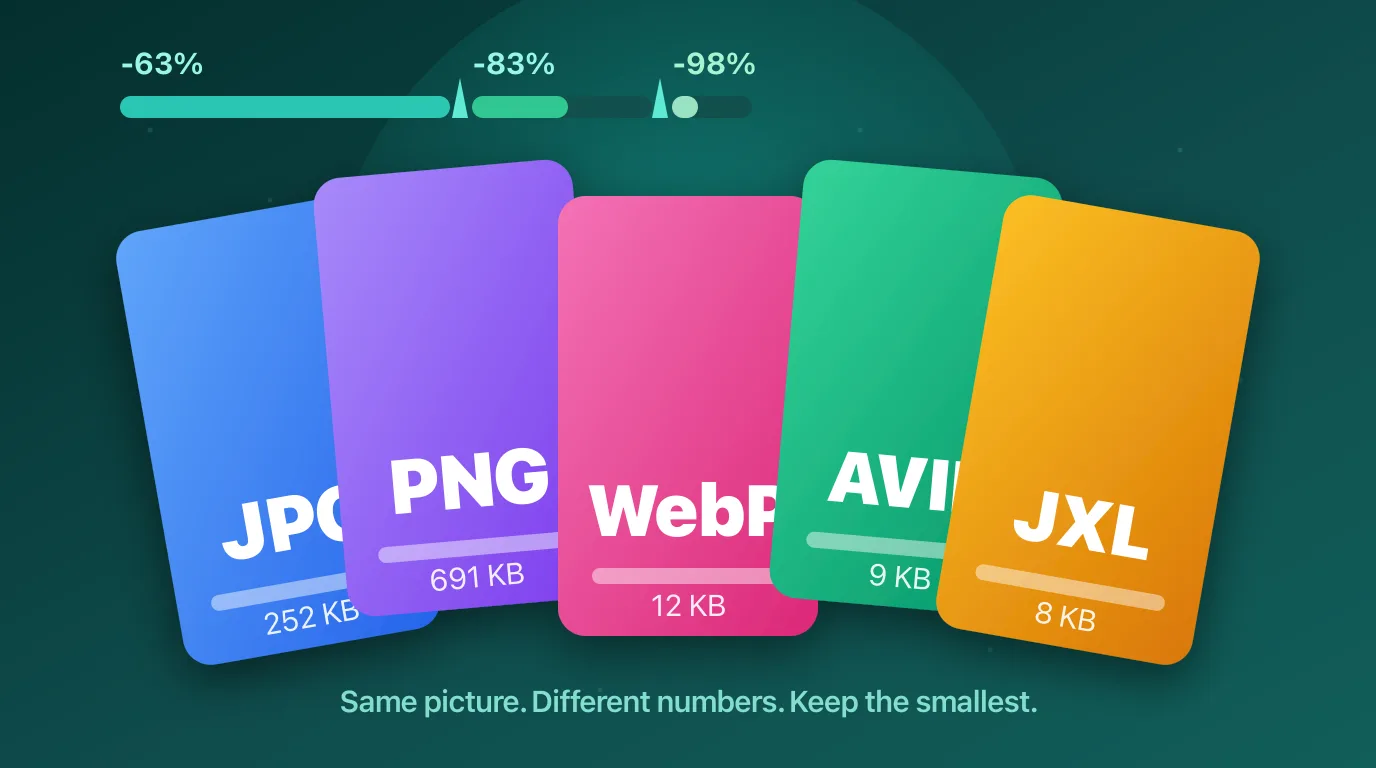
WebP and AVIF are modern lossy formats with dramatically better compression. On our 1024×695 reference photo, a 691 KB PNG came back as 252 KB JPG (-63%) — and the same picture as WebP was just 12 KB, with AVIF smaller still.
JPEG XL is the newest option: lossless JPEG recompression that shrinks existing JPGs by ~20% without any quality change, plus a very strong lossy mode.
The HEIC problem nobody warns you about
iPhones save photos as HEIC, and most web tools can't even open them — Google's Squoosh has no HEIC decoder, so a .heic file fails to load in Chrome, Firefox and Edge. PixSip decodes HEIC itself, so iPhone photos work everywhere, then lets you keep them as JPG or WebP.
Stop guessing: produce every format at once
PixSip's convert switch writes your file in AVIF, JPEG XL, WebP, JPG and PNG side by side, each with its own size and download button. Compress once, compare the numbers, keep whichever is smallest. No quality slider to get wrong — one calibrated quality per format, tuned against TinyPNG's output.
Rules of thumb
- Photos → JPG (universal) or WebP/AVIF (smallest)
- Screenshots and text → PNG
- Anything for a website → WebP or AVIF
- Existing JPGs you can't re-encode → JPEG XL lossless mode
- In doubt → flip the convert switch and let the numbers decide
Formats change, but the workflow shouldn't have to: put files in, compare outputs, keep the smallest one that still looks right.
Try the formats yourself: compress JPG, convert to WebP or convert HEIC to JPG. Curious about the machinery? How PixSip compresses images.