Inside PixSip: Running MozJPEG and Friends in Your Browser
A look under the hood of a browser-side image compressor: WebAssembly codecs, a worker pipeline, and a 20-image benchmark that matched or beat TinyPNG on 18 of 20.
PixSip looks simple — drop images, get smaller files — but there is a real compression pipeline behind it, running entirely in your tab. It compresses up to 20 images per batch, and on a 20-image benchmark it matched or beat TinyPNG on 18 of them. Here is how the pieces fit together.
The encoder stack
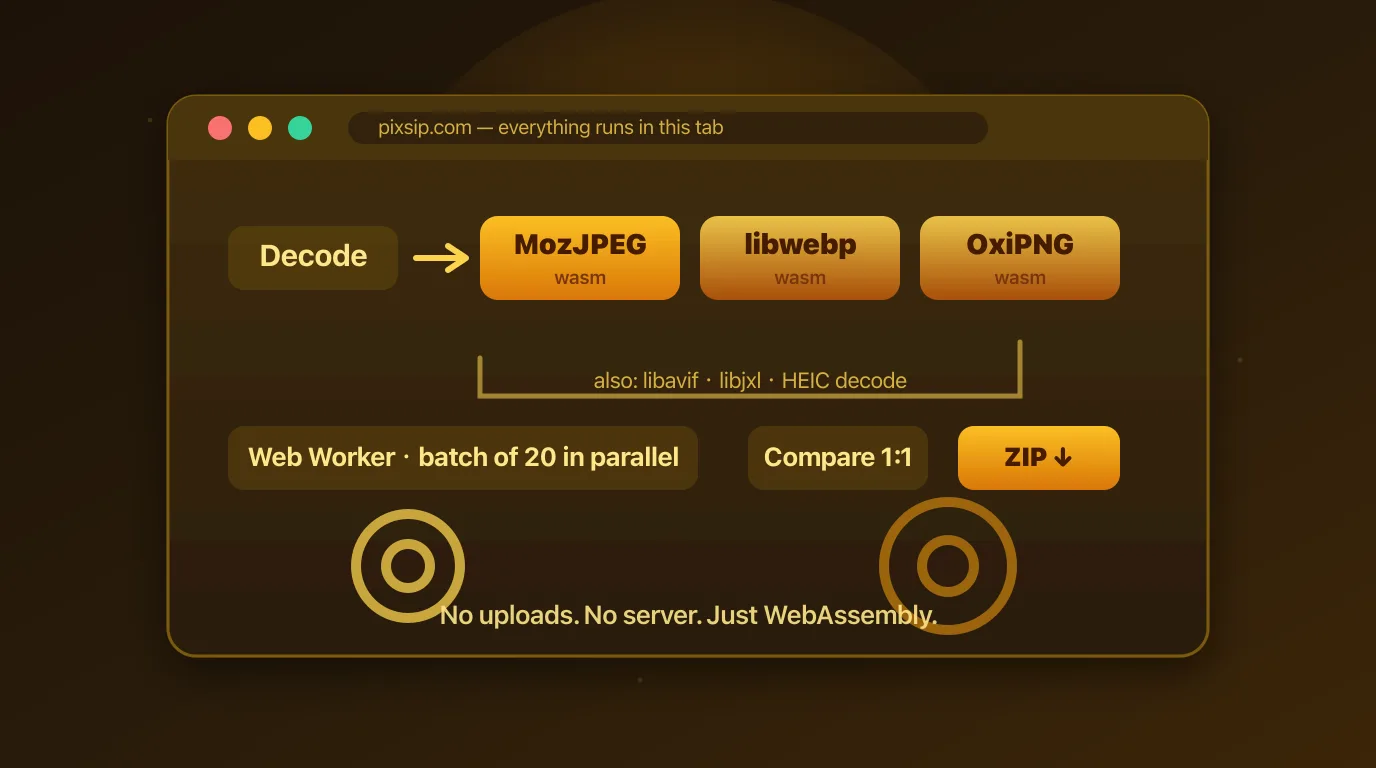
We run the same open-source codecs that power Google's Squoosh, compiled to WebAssembly:
- MozJPEG — a JPG encoder tuned for perceptual quality, for JPG and HEIC input
- libwebp — WebP encoding
- OxiPNG — lossless PNG optimization
- libavif and libjxl — AVIF and JPEG XL
Squoosh is the reference point here, and we aren't affiliated with Google or the Squoosh project — we run the same codecs and add what a batch workflow needs.
Why one quality, not a slider
Most compressors expose a quality slider and let you guess. We calibrate a single quality per format instead, benchmarked against TinyPNG's output: on a 20-image test, our files matched or beat TinyPNG's size on 18 of 20 at comparable visual quality.
That also means "compressed" never means "blurry mess": JPG and HEIC go through MozJPEG, and photo PNGs are re-encoded to a color palette at 46 dB PSNR on our reference photo.
The pipeline
- Decode — JPG, PNG, WebP, AVIF and HEIC are decoded locally; HEIC decoding is our own addition, since Squoosh has none and iPhone photos otherwise fail in Chrome, Firefox and Edge.
- Encode — each file goes through its format's encoder inside a Web Worker, so a batch of 20 compresses in parallel without freezing the page.
- Compare — every output gets a Compare view: drag the divider to wipe between original and result, or switch to 1:1 to inspect compression artifacts at full resolution.
- Export — download files one by one, or grab the whole batch as a single ZIP, generated locally.
What we skip on purpose
No uploads, no accounts, no server round trips. That constraint is what makes the architecture simple: there is no upload queue, no storage to secure, and no per-user processing cost — which is how the tool stays free without a quota wall.
The trade-off is honest: heavy batches use your CPU instead of a server's. For a 20-image batch that is a few seconds of a modern machine's time, and your files never leave the room.
If you care about the details, open PixSip in your browser's network tab and watch what doesn't get sent. That absence is the whole design.
Keep reading: Why browser-side covers the privacy rationale, and the image format guide turns the numbers into format decisions. Try the tools: compress JPG, convert HEIC to JPG, convert to WebP.